Integrations should not become another inbox
Clearer integration views and richer filters help you turn updates from your tools into a plan you control.
Work already arrives from too many places: email, calendar, GitHub, Linear, Jira, Asana, Todoist, and every follow-up in between.
The answer is not another dashboard to check. It is a calmer place to decide what belongs in your day.
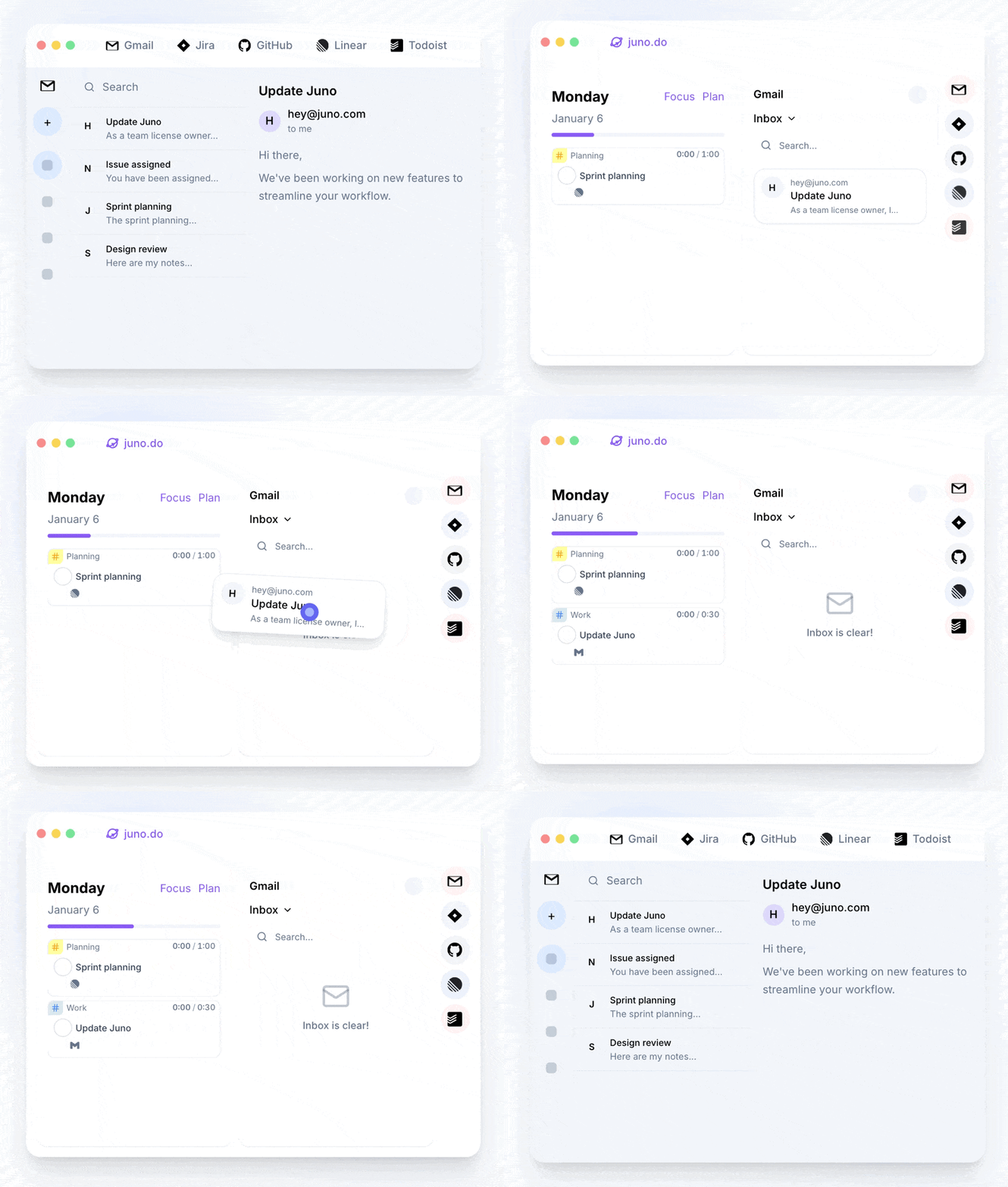
Juno brings those inputs together so you can triage them on your terms, then make a deliberate plan instead of letting every notification set the agenda.
A clearer way to review incoming work
This update makes connected tools feel more like inputs to your plan, not another source of noise.
- Previews refresh when you return to a tab, so new replies, comments, and updates are ready when you are.
- A unified detail action bar, richer sender and source cards, and sticky source navigation make it easier to understand an item without losing your place.
- Linear issue lists can be filtered by project and priority, alongside team, state, assignee, and label.
- A more compact sidebar and clearer filters keep integration views focused.
The goal is simple: see the work that is coming at you, decide what matters, and keep your day yours.
Review your connected work in Juno or follow the inbox and integrations guide.