Plan your day directly on the calendar
Task projections and a private Juno calendar make it easier to see what fits before you commit your day to time blocks.
A task list can make a day look possible when the calendar says otherwise.
Juno now shows task projections while you plan, so you can see how work might fit around the meetings and commitments already on your calendar before you commit tasks to time blocks.
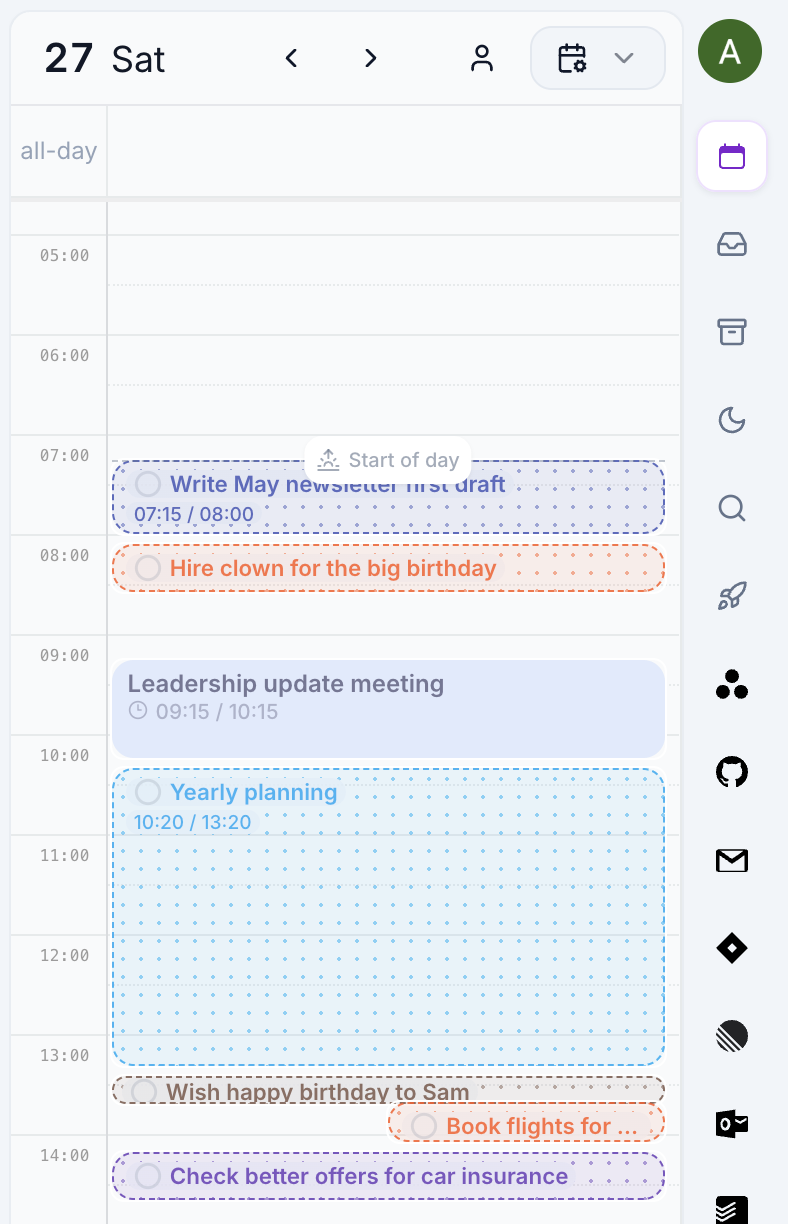
See the day before you fill it
Turn on Show task projections in calendar settings to view proposed blocks beside your task list and in the full calendar. You can review the shape of the day, adjust the plan, then turn the work into calendar blocks when it makes sense.
Custom schedules for contexts or tags can make that preview more realistic, while completion badges, checkboxes, and overflow warnings make it easier to read the plan at a glance.
Keep private planning private
Juno also supports a private Juno calendar. You can see events from connected calendars and timeboxed Juno work in the same place without needing to put every planning block into an external calendar.
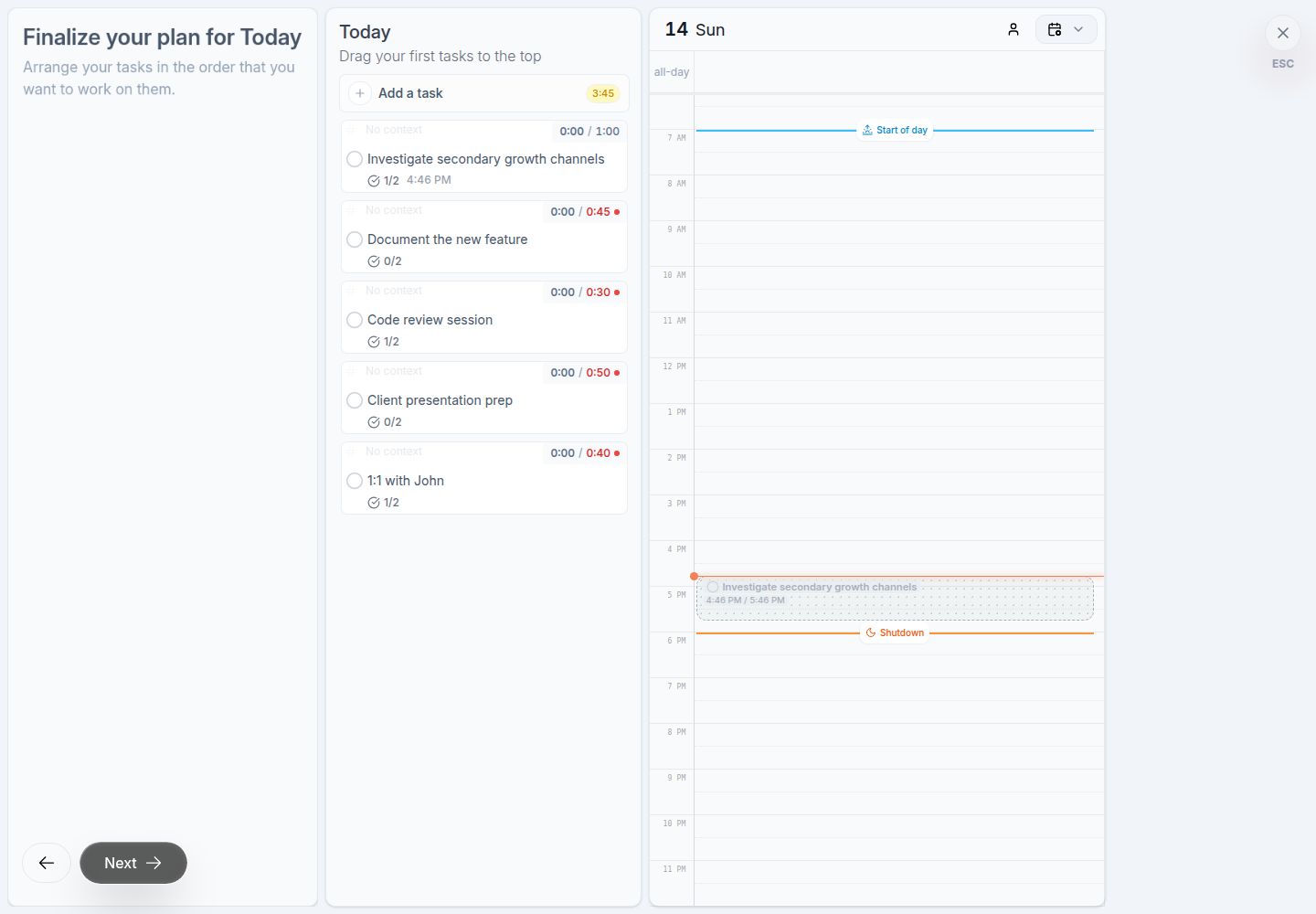
You can still create time blocks in a connected calendar when that is what the work needs. The choice is yours.
The result is a planning flow that starts with a realistic preview, then gives important work a place in the day.
Open calendar settings or read the calendar planning guide.